
Creating Campaigns

Table of Contents

What is a campaign?

A campaign is a regular, stand-alone newsletter that you can send to your selected subscribers. If you would like to set up an automated email sequence, check out the automations and workflows instead.

How to create a campaign

  1. From your Dashboard, click the “Create Campaign” button or Navigate to the Campaigns page and click New Campaign.
  2. Next you’ll find the Campaign details page. This is where you can apply the following settings:
    • Campaign title – For internal use only. It will not show up to your subscribers.
    • Subject – This text will be displayed in the Subject field of your recipient’s email client.
  3. Click on the A/B Split checkbox if you want to make your campaign an A/B Split type otherwise it will be sent as a regular campaign.

What are the types of campaigns

Regular Campaign – A regular campaign is the simplest and most direct type of email campaign. It allows you to send a single email to a targeted group of subscribers. This format is perfect for general announcements, company news, or broad promotions applicable to all recipients. Regular campaigns are quick to set up and can be enhanced with dynamic content to boost engagement.

A/B Split Campaign – An A/B split campaign lets you test two different versions of an email to determine which one performs best before sending the winning version to a larger audience. You can experiment with variables such as subject lines, content, images, or call-to-action buttons. This approach is a powerful way to refine your email strategy and enhance open rates and engagement.
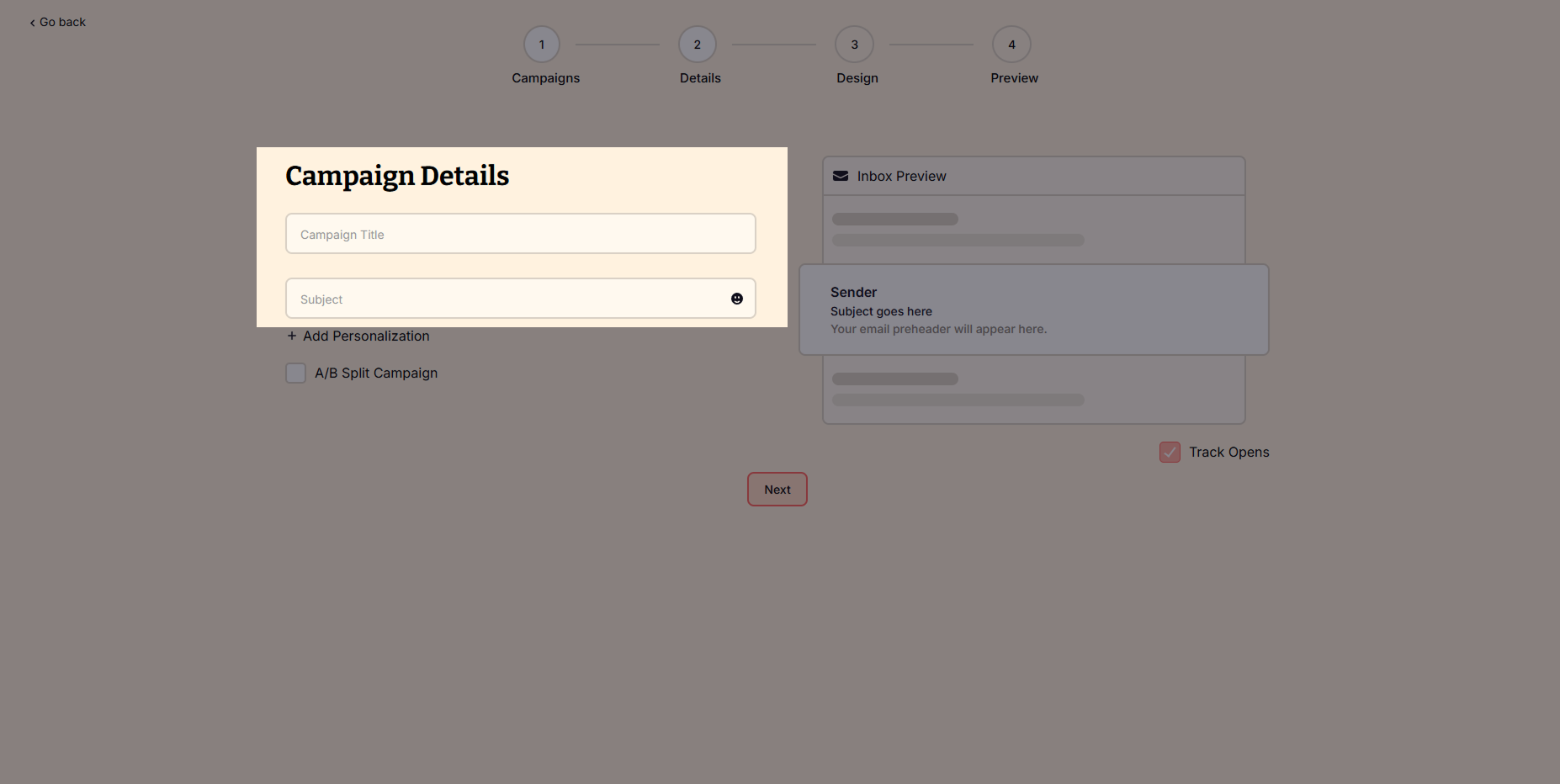
4. Click the Next button to choose a template from the Template Library or create your own from scratch Using the Drag-and-Drop Email Editor.

The Drag-and-Drop Editor allows you to design beautiful emails without coding.

Key Features:

  • Pre-designed Templates – Choose from a collection of professional email designs.
  • Content Blocks – Easily add text, images, buttons, and social media links.
  • Branding Tools – Customize fonts, colors, and layouts to match your style.
  • Mobile Preview – See how your email looks on different devices.

How to Use the Editor:

  1. Pick a Template or start from scratch.
  2. Drag elements into your email (text, images, buttons, dividers, etc.).
  3. Click any element to edit the content and style.
  4. Use the Preview Mode to check how your email will appear on desktop and mobile.
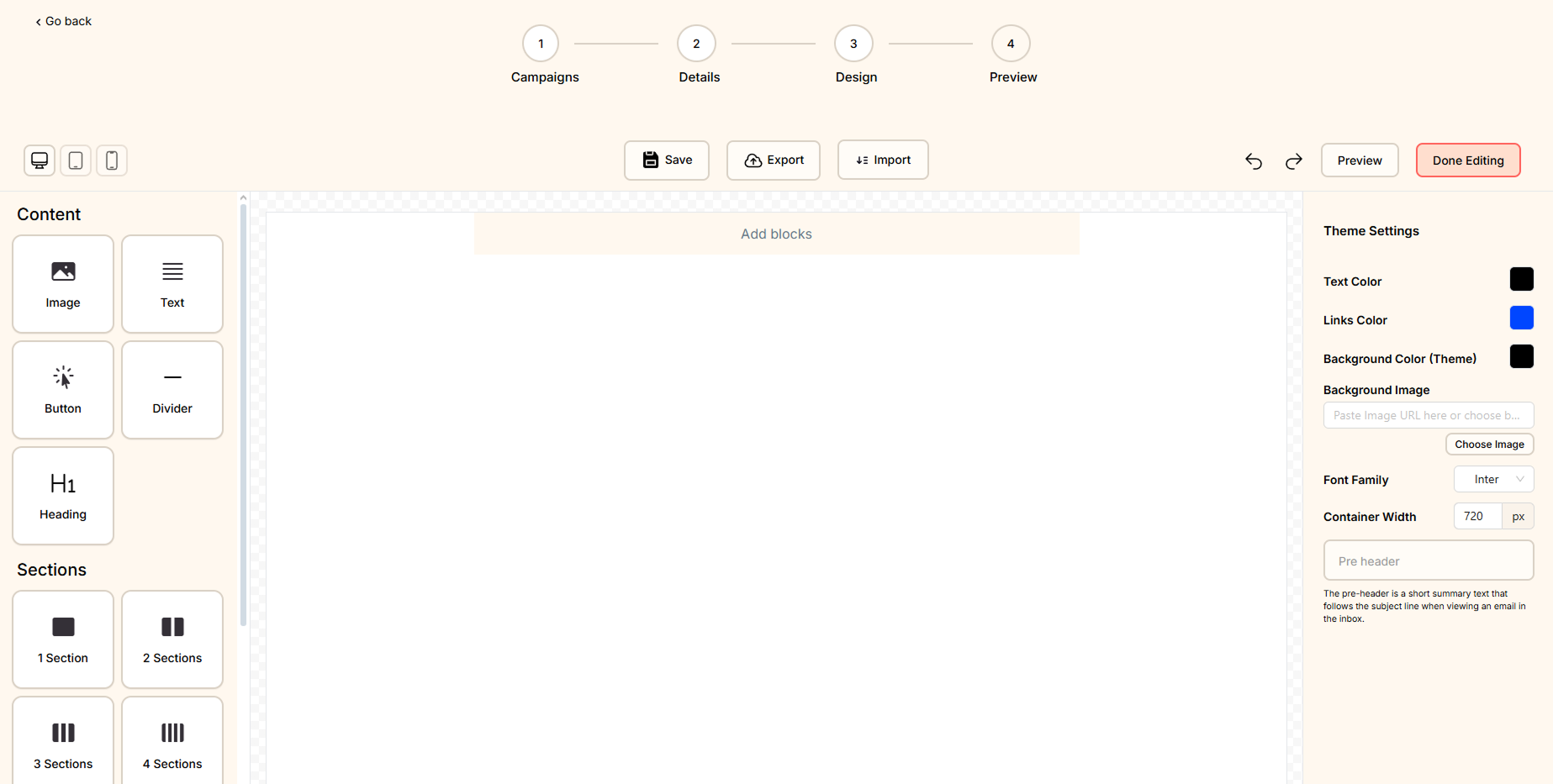
If you choose a template, you can fully customize it:

  • Replace images with your own branding.
  • Edit text to match your message.
  • Change colors & fonts to reflect your brand identity.
  • Add personalization (e.g., “Hi {{First Name}}” for a personal touch).
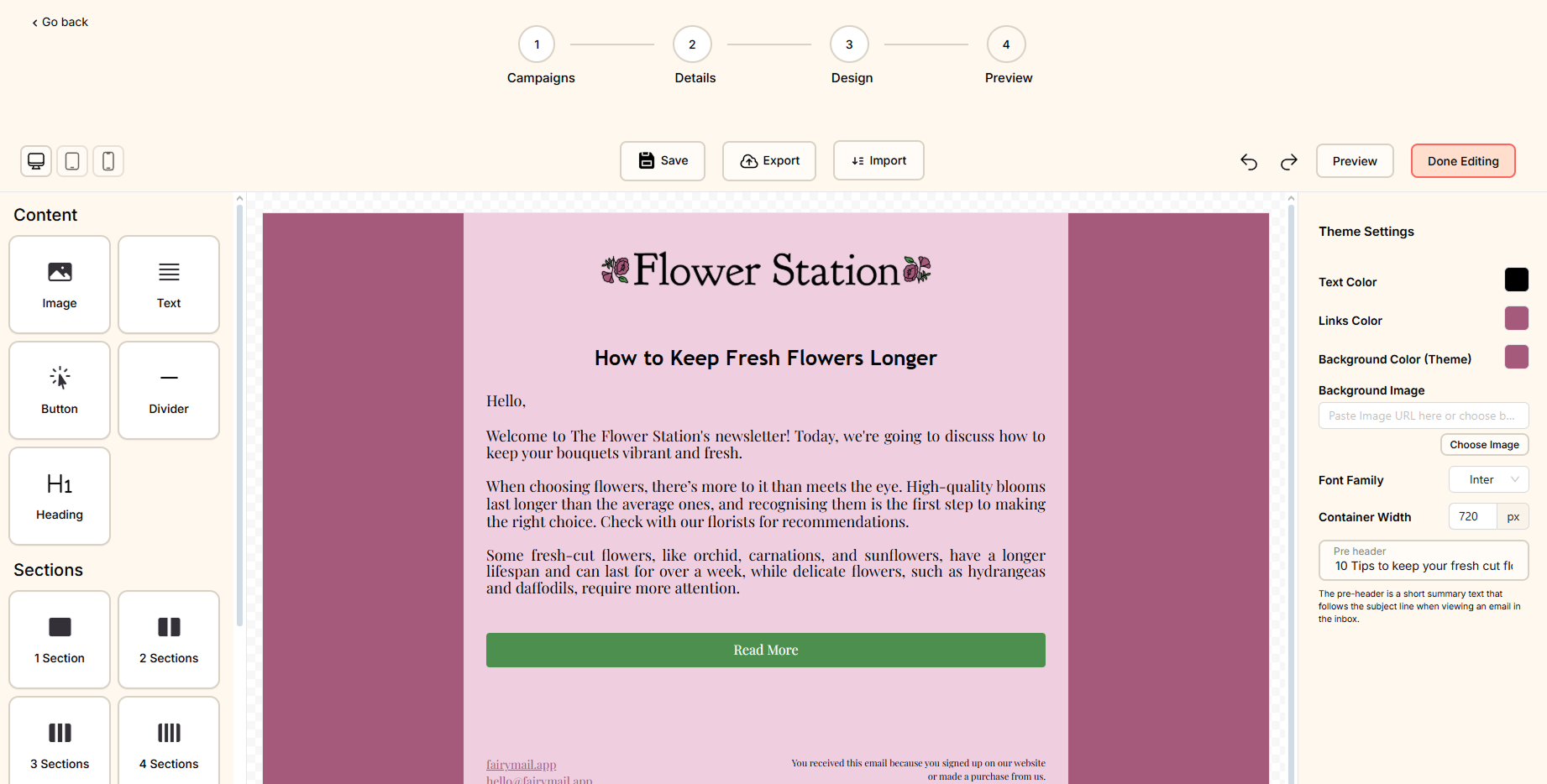
Once you finished editing your email, click on the Done Editing button.

5. Click on Select Target group and select the one you want to send this campaign to.

6. When you reach the scheduling step, you have four options for sending your campaign:

  • Send now – Immediately send your campaign
  • Schedule for later – Choose a specific date and time for delivery.
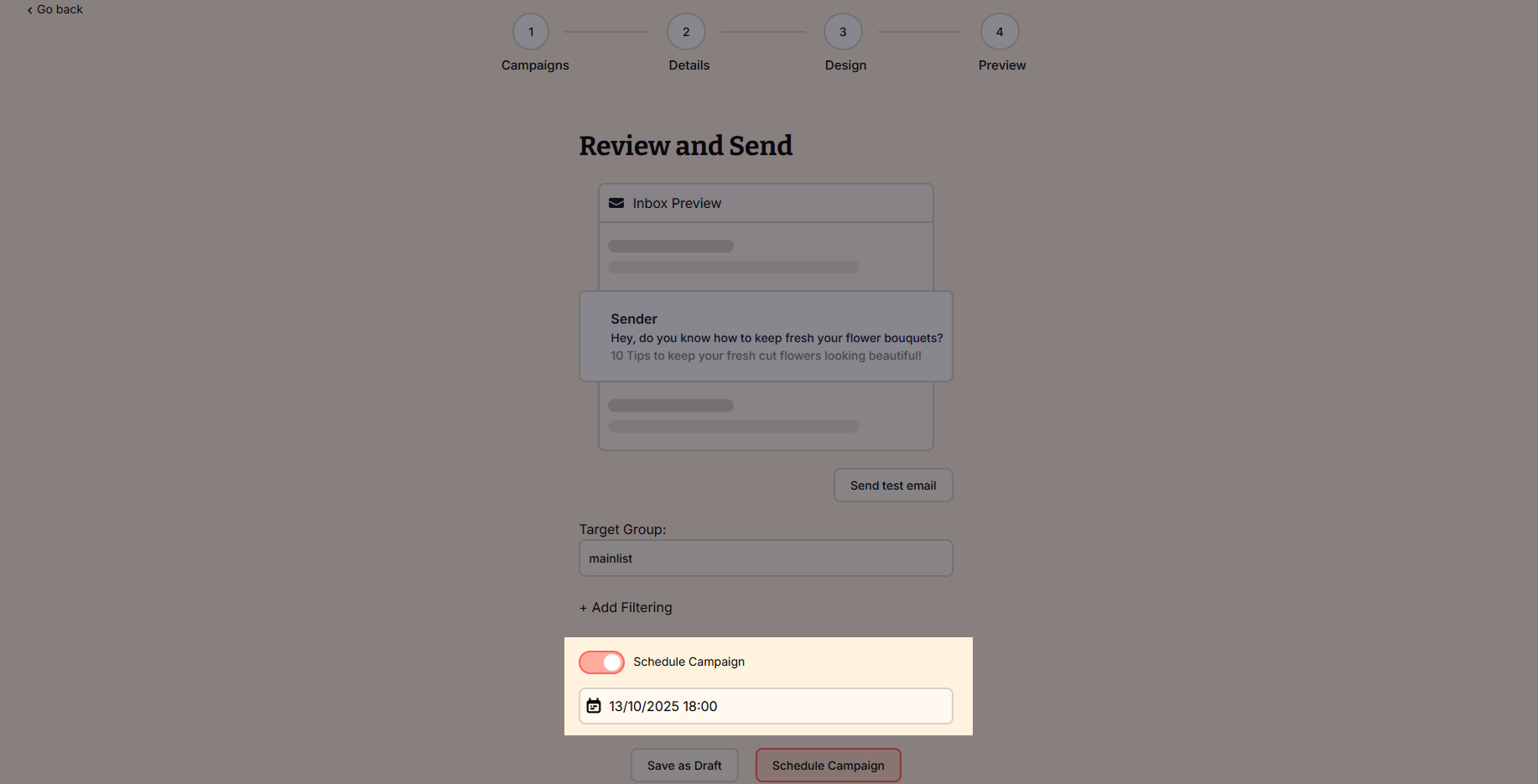
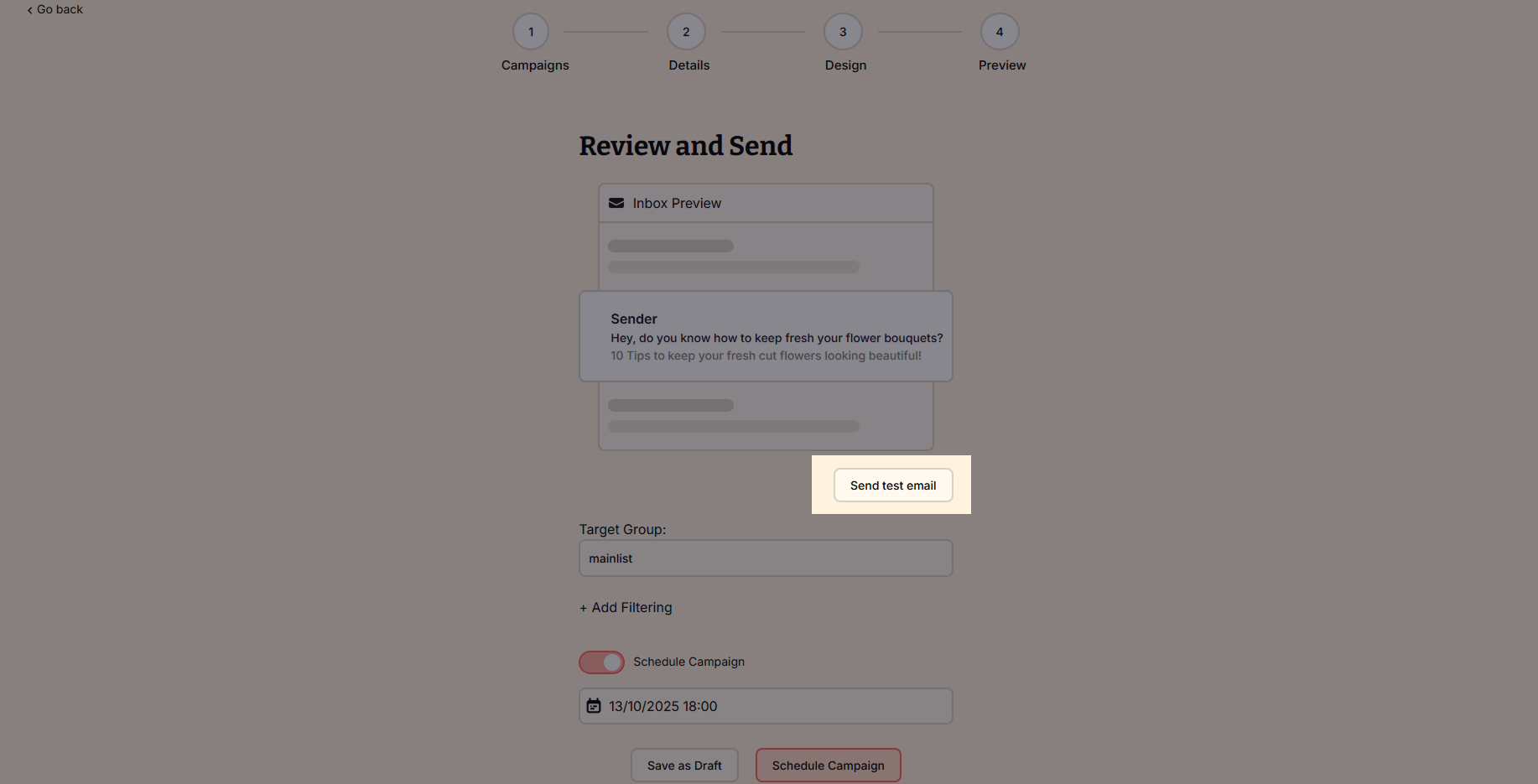
Tip: Before sending or scheduling your campaign, click on the Send Test Mail button to receive the email you’ve created in your inbox and check what your subscribers will receive!
How to cancel a sending campaign

If you wish to cancel your campaign:

  1. Navigate to your Outbox.
  2. Click the More button next to your sending campaign.
  3. Select Cancel sending.

Join the waitlist!

Be among the first to experience the FairyMail App. Join the waiting list for early access, exclusive updates, and priority support when we launch.

Privacy Overview

Last Updated: September 12, 2025

FairyMail (“we,” “our,” or “us”) values your privacy and is committed to protecting your personal information. This Privacy Policy explains how we collect, use, store, and share your information when you use our website and services (collectively, the “Services”).

By using FairyMail, you agree to the practices described in this Privacy Policy.

1. Information We Collect

We collect the following categories of information:

  • Account Information:
    When you register, we collect your name, email address, password, billing details, and other account-related information.
  • Usage Data:
    We automatically collect certain information about your interactions with our Services, such as IP address, browser type, device information, pages viewed, and usage timestamps.
  • Subscriber Data:
    When you upload contact lists or send email campaigns using FairyMail, we process the email addresses and any associated data you provide (“Subscriber Data”) solely to deliver the Services.
  • Cookies & Tracking Technologies:
    We use cookies, and similar tools to improve functionality, measure performance, and support marketing efforts. For details, see our Cookies Policy.

2. How We Use Your Information

We use your data to:

  • Provide, operate, and improve our Services.
  • Process transactions, manage billing, and maintain your account.
  • Monitor platform performance and ensure compliance with our Terms of Service.
  • Prevent, detect, and investigate fraudulent or abusive activity.
  • Comply with legal and regulatory obligations.
  • Send you important updates, product announcements, and optional marketing communications (which you can opt out of at any time).

3. Sharing and Disclosure

We do not sell your personal data. We may share your information only in the following circumstances:

  • Service Providers: With trusted vendors (e.g., hosting providers, payment processors, analytics tools) that help us deliver our Services.
  • Legal Requirements: If required by law, subpoena, or court order, or to protect our rights and users.
  • Business Transfers: In connection with a merger, acquisition, or sale of assets, subject to this Privacy Policy.

4. Your Rights

Depending on your location, you may have specific rights under privacy laws such as the GDPR (EU/UK) and CCPA (California), including:

  • Access & Portability: Request a copy of your personal data.
  • Correction & Deletion: Update or delete your information.
  • Restriction & Objection: Limit or object to certain types of data processing.
  • Opt-out of Marketing: Unsubscribe from promotional emails at any time.

To exercise these rights, contact us at [email protected]. We may verify your identity before fulfilling your request.

5. Data Retention

We retain your personal data only for as long as necessary to:

  • Provide our Services,
  • Fulfill our legal obligations,
  • Resolve disputes, and
  • Enforce our agreements.

You can request deletion of your account and data at any time.

6. Security

We implement industry-standard technical and organizational measures to safeguard personal data, including encryption, access controls, and monitoring systems.

7. International Data Transfers

If we transfer your personal data outside the European Economic Area (EEA) or other jurisdictions with data transfer restrictions, we ensure appropriate safeguards, such as Standard Contractual Clauses (SCCs) or other approved mechanisms.

8. Changes to This Policy

We may update this Privacy Policy from time to time. Significant changes will be communicated via email or prominent notice on our website. Continued use of our Services constitutes your acceptance of any updates.

9. Contact Us

For questions, concerns, or to exercise your privacy rights, contact us at:
Email: [email protected]
