
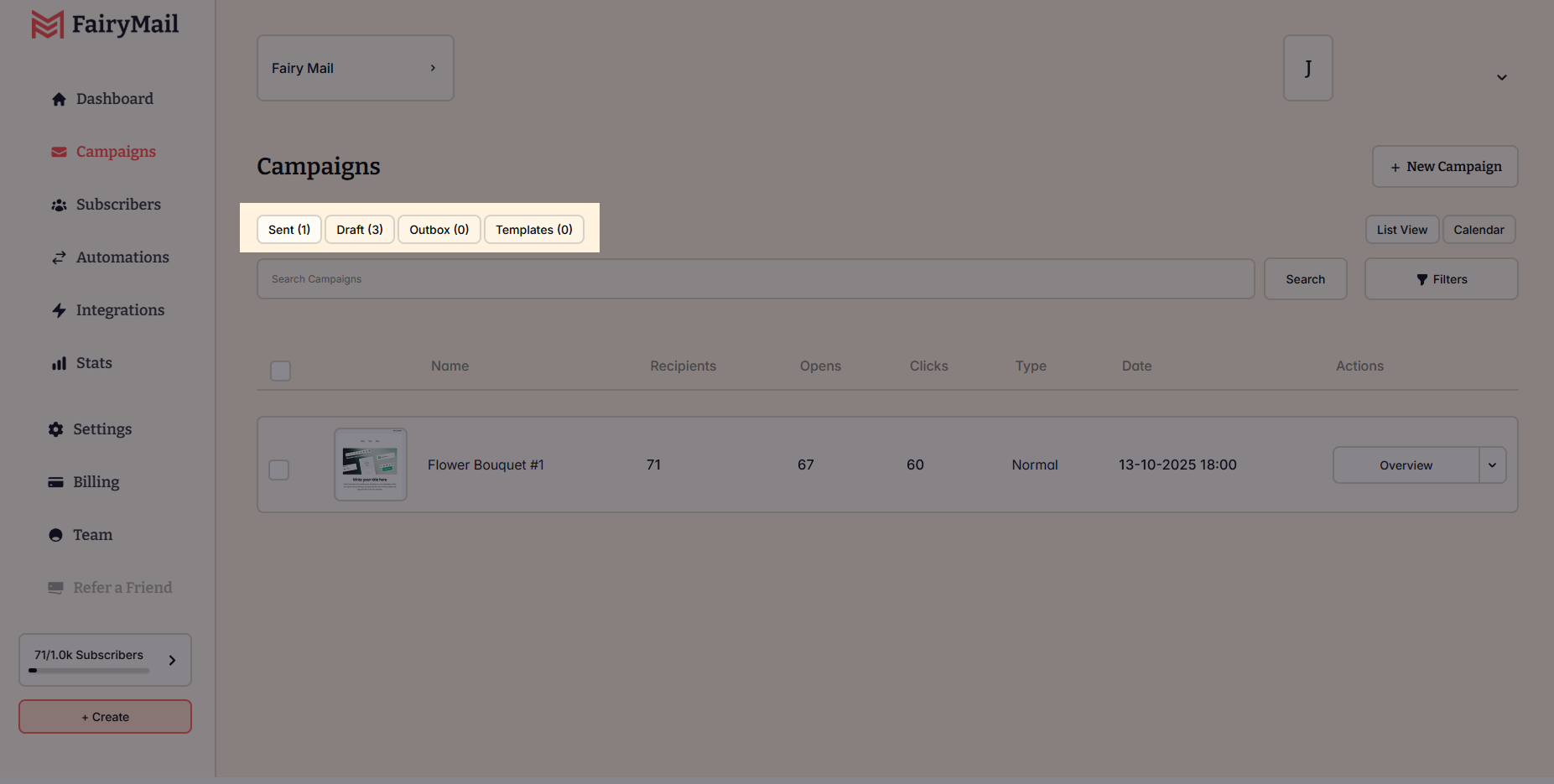
The Campaigns page is where you can create, track, and manage all your email campaigns. This page is designed to help you stay organized, with four main tabs:
- Sent – View all previously sent campaigns along with key performance metrics.
- Drafts – Access and continue editing campaigns that haven’t been sent yet.
- Outbox – Monitor campaigns that are scheduled for future delivery.
- Templates – Use pre-designed or saved templates to streamline campaign creation.
Sent Campaigns: Review Past Emails & Performance
The Campaigns page is where you can create, track, and manage all your email campaigns. This page is designed to help you stay organized, with four main tabs:
- Sent – View all previously sent campaigns along with key performance metrics.
- Drafts – Access and continue editing campaigns that haven’t been sent yet.
- Outbox – Monitor campaigns that are scheduled for future delivery.
- Templates – Use pre-designed or saved templates to streamline campaign creation.
Sent Campaigns: Review Past Emails & Performance
The Sent tab contains all the campaigns that have already been delivered. Each campaign displays key performance metrics at a glance, including:
- Recipients – The number of subscribers who received the email.
- Open Rate – The percentage and number of recipients who opened the email.
- Click Rate – The percentage and number of recipients who clicked the links inside the email.
Viewing a Sent Campaign Report
Clicking on any sent campaign opens a detailed report (overview), where you can analyze:
- Open & click performance trends.
- Which links received the most clicks.
- Bounces & unsubscribes.
- Geolocation & device-based analytics.
- Drafts: Work in Progress
Drafts: Work in Progress
The Drafts tab contains campaigns that have been saved but not yet scheduled or sent.
Here, you can:
- Continue editing any campaign before sending.
- Review the content and make final adjustments.
- Delete drafts you no longer need.
- Drafts are automatically saved as you work, so you never lose progress.
Outbox: Scheduled Campaigns & Emails in Progress
The Outbox tab shows campaigns that are scheduled for future delivery or are in the process of being sent.
Here, you can:
- See and edit the send date and time for each scheduled campaign.
- Review the campaign details before it is sent.
- Monitor campaigns that are currently in the sending process.
- Once a campaign has been fully sent, it will move to the Sent tab.
Templates: Pre-Designed & Saved Email Designs
The Templates tab helps you create professional emails faster by giving you access to:
- Template Library – A collection of ready-to-use email designs.
- My Templates – Custom templates that you’ve created and saved for future use.
You can preview, edit, and apply a template to any new campaign in just a few clicks.
